
• Skip to main content
  • Skip to header right navigation
  • Skip to site footer
Mini'app'les

Mini'app'les

the Minnesota Apple Computer Users' Group, Inc.

  • Blog
  • Membership
  • Calendar
  • Email List
  • Leaders
  • Shop
  • Contact

Archives for January 2019

Mini’app’les Meeting, Tuesday January 15 Meeting Notes & Links

January 15, 2019 by Pete Bockenhauer

Back to Basics

  • iOS
    • Use gestures to navigate your iPhone X and later
    • How To Use Tap To Wake On iPhone X
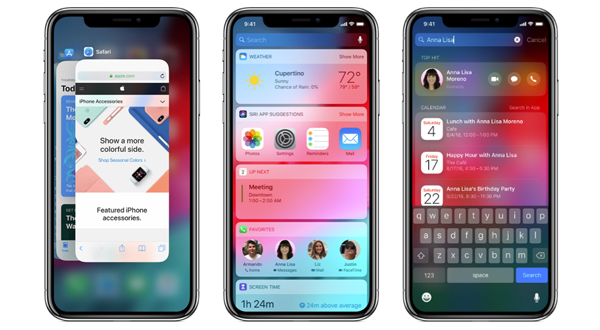
    • How to Use Spotlight Search on Your iPhone or iPad
    • How to use Notification Center on iPhone and iPad
    • Use and customize Control Center on your iPhone, iPad, and iPod touch
    • About the buttons and switches on your iPhone, iPad, or iPod touch
    • Restart your iPhone, iPad, or iPod touch
    • If your iPhone, iPad, or iPod touch won’t turn on or is frozen
    • How to take a screenshot on your iPhone, iPad, and iPod touch
    • How to quickly and discreetly disable Face ID on the iPhone X
    • How to Turn Off Keyboard Clicks on Your iPhone or iPad
    • How to Disable or Enable Period Shortcut in iPhone/iPad
    • How to Turn Off Predictive Keyboard in iOS 11
    • How to use text shortcuts on iPhone and iPadHow to use text shortcuts on iPhone and iPad
    • 3D Touch: The Ultimate Guide
    • Access Safari tab’s history by performing tap and hold on back button
    • How to view a Safari website without content blockers on your iPhone or iPad
    • How to Rearrange Your Lock Screen Widgets in iOS 10
    • Access the calculator in Spotlight
    • How to Add the Secret Weather Widget to Your iPhone’s Lock Screen in iOS 12
    • iOS 11’s new ‘Smart Invert Colors’ is the closest thing to Dark Mode yet
    • Why you should use True Tone
    • Use Multitasking on your iPadUse Multitasking on your iPad
    • How to move multiple iPhone Home screen apps icons on iOS 11 using drag and drop
    • Reeder – RSS reader
    • Set up and use iCloud Tabs
  • macOS
    • Reeder – RSS reader
    • ReadKit – RSS reader
    • HistoryHound – Find pages in your Bookmarks or History just by typing words you remember from them!

Misc

  • Cloudflare 1.1.1.1: Faster Internet – Faster, more private Internet
  • ExpressVPN – Fast & reliable VPN proxy
  • Mullvad – VPN
  • Path Finder – Finder replacement
  • OpenDNS – The easiest way to make your internet faster, safer, and more reliable.
News

  • Apple officially releases Smart Battery cases for iPhone XS/Max/XR with Qi charging support
Category: Meeting Notes & Links, Topic Meetings

Mini’app’les Meeting, Tuesday January 15 at 6:30 p.m.

January 10, 2019 by Pete Bockenhauer

Back to Basics

Let’s cover essential skills all Mac/iPhone/iPad users should have. How do you take a screenshot? How do you reset a device if you are selling it? How do you customize what kind of notifications you get? How do the new swipe gestures work?

Please join us at the next Mini’app’les meeting!

DATE:
Tuesday, January 15

TIME:
6:30 – 9:00 PM

LOCATION:
Southdale Library (Helen Young Room)
7001 York Ave S, Edina, MN 55435 (https://goo.gl/maps/fdSRonjRG982)

We look forward to seeing you there!

Category: Meeting Announcements

Sidebar

Mini’app’les Shop

Mini'app'les branded t-shirts, tote bags, iPhone cases and drinkwareOrder Now!

Archives

Email Newsletters (1978-2014)

Blog Categories

  • Apple Watch
  • Articles
  • Best Practice
  • Deals
  • Design
  • iOS
  • iOS Apps
  • iTunes
  • Learning
  • Mac
  • Mac OS Apps
  • Meeting Announcements
  • Meeting Notes & Links
  • Mobile
  • Music
  • Photography
  • Site Updates
  • Social and Q&A Meetings
  • Software
  • Tips and Tricks
  • Topic Meetings
  • Troubleshooting
  • Updates iOS
  • Updates OSX
  • Workflow
  • RSS Feed

Built by Westwords
Copyright © 2026 · Mini'app'les
the Minnesota Apple Computer Users’ Group, Inc.